
At easyDNS, we are continuously strengthening account security to protect your domains and services. As part of this effort, we have introduced a new Contact Information Confirmation screen that appears when you log into your easyDNS account.
What You Will See
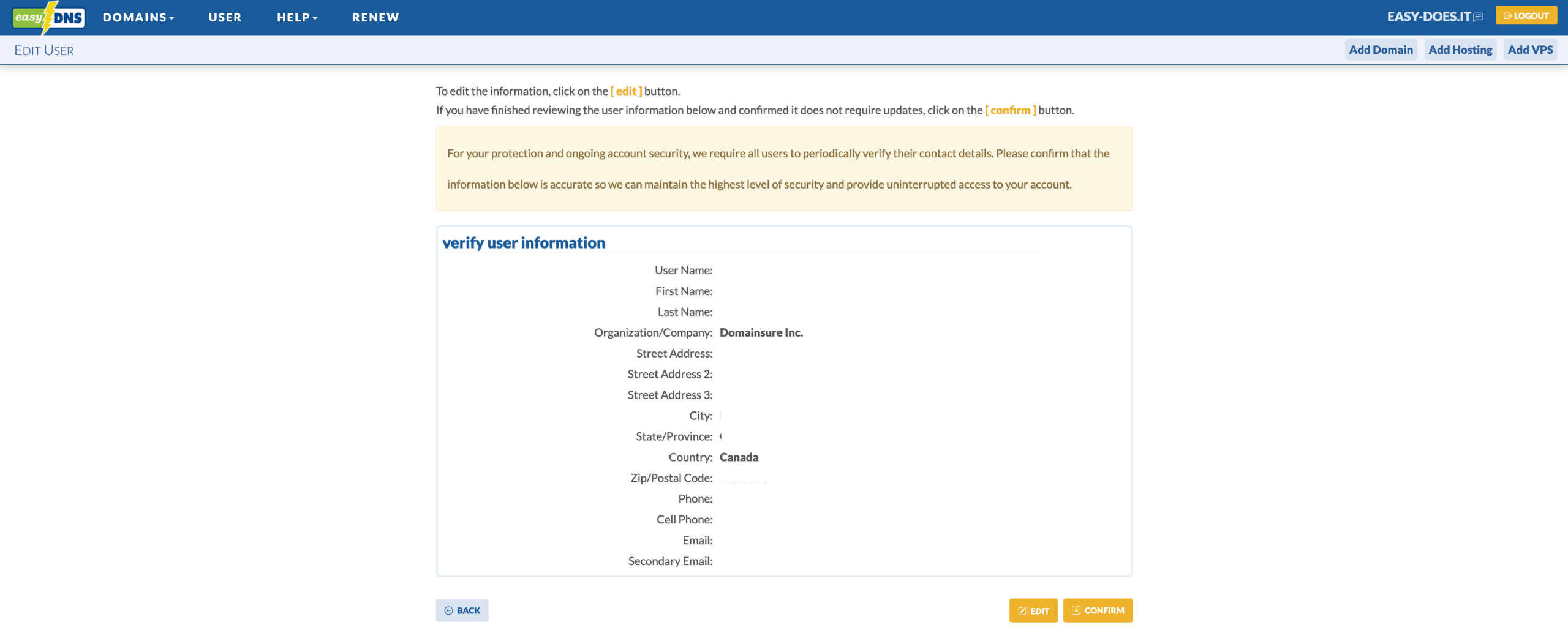
The next time you log in, you will see either:
- A Verify User Information summary with CONFIRM and EDIT buttons, or
- An Edit User Information form (if any required fields are missing or incomplete).
You’ll also see a clear notice explaining why this step is required for your protection.
Why We’re Doing This
Accurate contact information is now even more important because we recently strengthened our Account Recovery Process. Having up-to-date contacts ensures we can:
- Reach the right people quickly in case of suspicious activity
- Properly verify identity during any support or recovery requests
- Make legitimate account recovery secure and reliable
You can read the full details of our new recovery process here: How to Recover Access to Your easyDNS Account
This verification screen will appear immediately on your next login and then periodically (roughly every couple of months).
What You Need to Do
- Log into your account at easydns.com.
- Review the contact information shown.
- Click CONFIRM if everything is correct, or EDIT to make updates.
- Save your changes.
The whole process usually takes less than a minute.
Our Commitment
Protecting your account remains one of our highest priorities. These improvements — better contact verification plus our hardened recovery process — are part of our ongoing commitment to reducing the risk of unauthorized access.
You can update your contact details anytime under User → User Info → Edit.
If you have any questions, please contact support@easydns.com.
Thank you for helping us keep easyDNS secure.
The easyDNS Security Team


Leave a Reply